Report on Playable Build Created with Default Top-Down Template in Unreal 5.4
Start Date: Friday, 19th of July, 11:00AM.
Approximate Work Hours: 9 (Including this report)
Task Overview
This build features two gameplay mechanics inspired by the game Hades:
- Movement + Character rotation on “WASD”
All relevant parameters, including the camera settings, were adjusted to closely replicate the game feel of Hades. Including Camera Lag, and Rotation only when performing action, or movement.
- Dash on “Space”
Implemented the ability to dash nearly instantaneously in the direction of movement.
Achievements
- Movement and Character Rotation
The movement and character rotation were successfully implemented using the “WASD” keys. Slight Camera Lag was added.
- Dash Mechanic
The dash mechanic was implemented on the “Space” key, allowing the character to dash in the direction of movement.
I added dashing through objects which have the “Dashable Object” Collision Profile.
This collision profile behaves exactly as a world static object, unless a character decides to dash through it.
In this case, a line trace is formed, which works in 2 different ways based on the Dash Type.
Best Effort Segment
- Dashing Through Objects + Bonus: Dash Type Switching
By pressing “1” the player can switch the dash type. This affects how the dash logic and gameplay works.
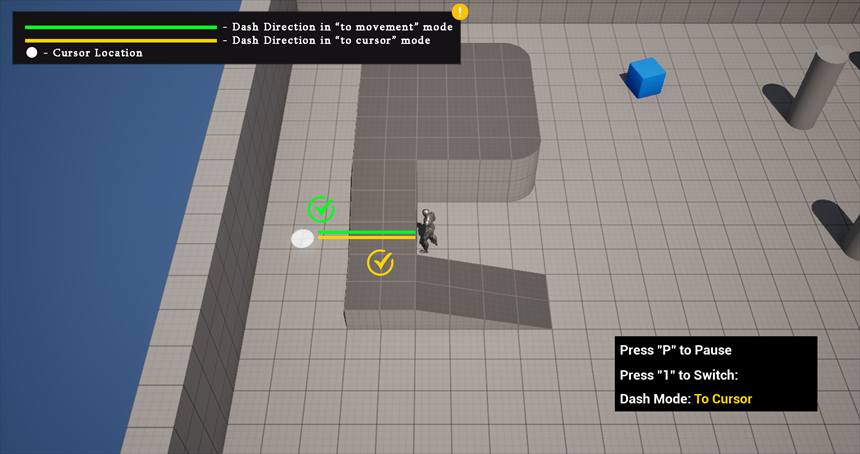
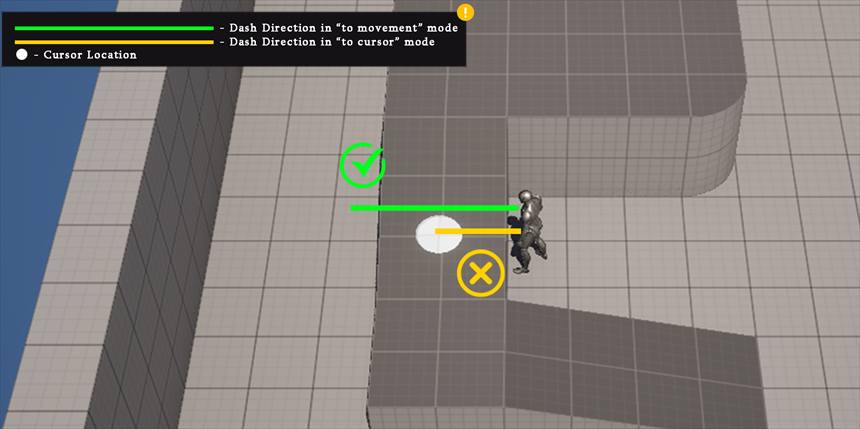
Cursor mode: The location of the cursor determines where the player will dash. This is also used to determine if the player will dash through the object. This mechanic works similarly to the “Flash” from League of Legends. The player has to place the cursor at the destination of their dash. This way, they have the option to not dash through the object, if they don’t wish to.
In front of Player: This is a simpler way of dashing. It happens automatically in front of the player’s location. Rotation is oriented towards movement, so movement also affects the direction of the dash. In this case, to dash through the object, the player has to simply dash while facing it, and if the object is “Dashable” and is not too thick, this will happen.
Visualization: Case 1 - The Dash will work, because the cursor is targeting a location over the wall.
Case 2 - The Dash will not work when in “to cursor” mode, because the cursor is targeting a location inside the wall. The same dash will work in “movement” mode
Editable Variables in current version:
- Dash Force - Float
- Cursor or Movement - Boolean
- Max Dashable Distance - Float (This is used for dashing through objects)
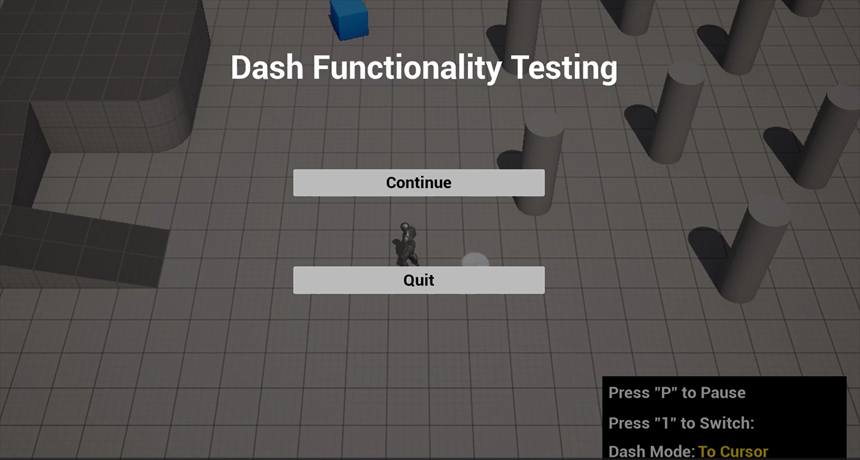
Existing Functionality Showcase Video:
SheleDash Prototype Showcase
Additional Features to Enhance Game Feel
- Improved Animation
With more time, I would implement more fluid and dynamic animations for the dash and movement actions to further enhance the game feel.
- Visual and Sound Effects
Adding visual and sound effects to the dash and movement actions would provide better feedback to the player and enhance the overall experience.
- Obstacle Interaction
Further refinement in the interaction with various obstacles, such as destructible objects or enemies, would make the gameplay more engaging and responsive.
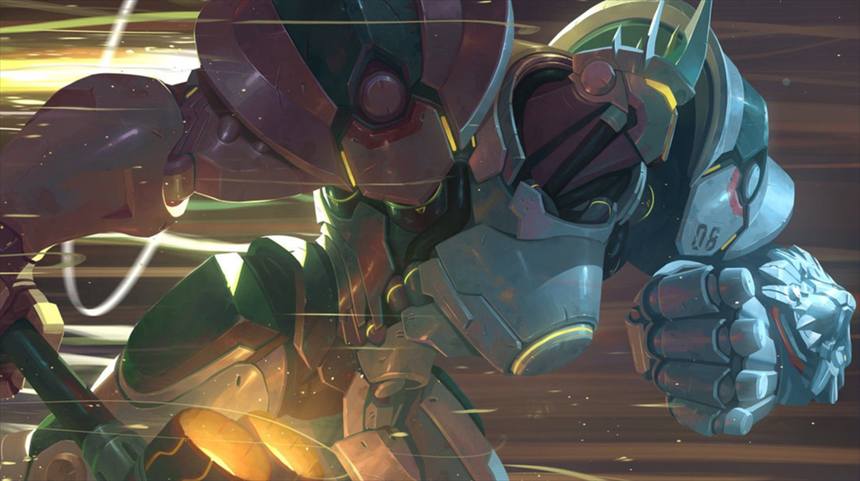
- Carrying the opponent — Charged Dash
An “augment” or an upgrade that would allow the player to carry an enemy while their dashing, and throw them to the direction of the dash, at the end of it.
Reference: Reinhardt - Charge
PlayOverwatchReinhardt Ability Overview | Overwatch
- Escape Dash
A simple, Escape type dash, that would allow the player to drop an explosive at their existing location, and dash back. Escaping the enemies, while also damaging, or stunning them.
Could also be any offensive move aimed at the enemy, while retreating.
Reference: Dragonball Xenoverse ValdSpread Shot Retreat
Playable Build
I have not included a ReadMe File, as I have added every needed tip on the screen of the prototype.
Download the Folder, Extract it, and open the executable DashProject.exe
Dash Prototype - Google Drive