Introduction
Most, if not all, things are still under discussion. The topics & decisions made here, are not final. Feel free to write comments and give feedback.
In-World Health Bar
This document defines the conditions under which in-world health bars will be displayed in the MVP, designed for a party of up to four players. The document does not include the on screen health bar, which is a part of the Main UI.
Referred to as Health Bar in this document.
Player - Controlled Units
This signifies the unit currently controlled by a player. The player, from the perspective of which we will be discussing this document.
Referred to as Player in this document.
Party Members
This signifies the units controlled by other players. Not the ones, from whose perspective this document will be discussed.
All things that are written for the main player, affect party members, unless stated otherwise.
Referred to as Party Member in this document.
Conditions
Player - Controlled Units
Health Bar Visibility Conditions:
- The Health Bar is always visible during the expeditions.
Health Bar References:
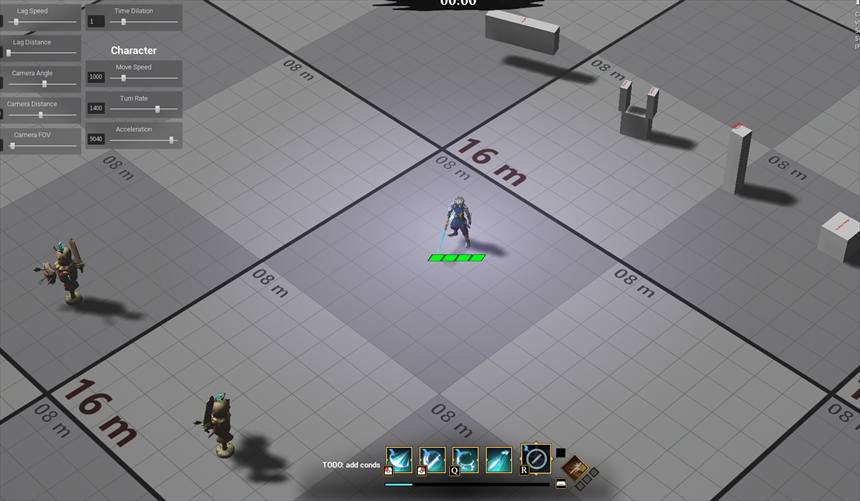
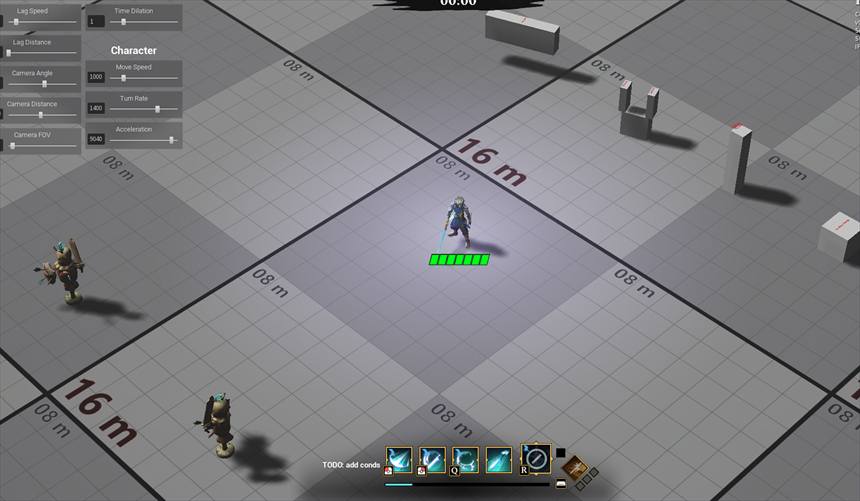
- Having a sectioned Health bar would be good. To make it easier for the players to understand their health level.
- This should be done in increments of health based on our scaling. I would recommend having a section by each 25% of the default health.
Example: If we consider 400 HP as a default, let us have a section on each 100HP units.
Reference:
Elements of the Health Bar
Shields:
The Health bar displays both Health and Shield capacity.
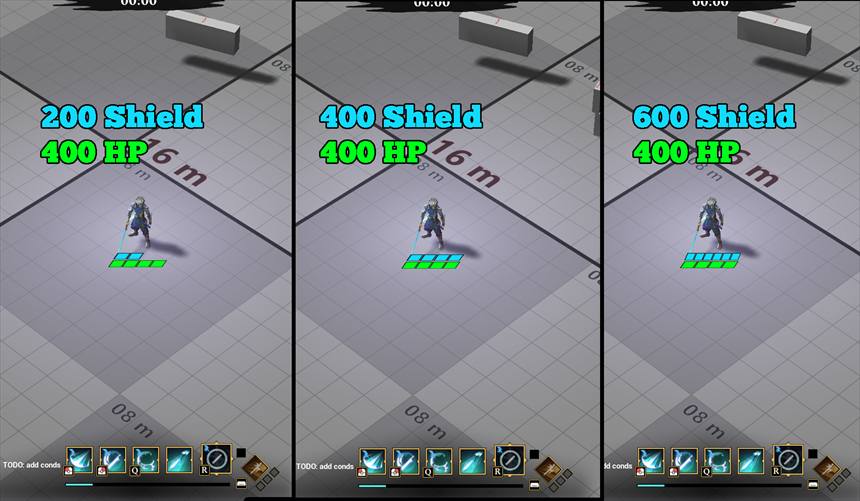
- Shield capacity is represented as an additional bar or overlay on top of the health bar, distinct in color (e.g., blue for shields).
- If the player has any type of Shield, The Health Bar is visible .
- Shield Visual scales as shown on the reference below.
- It should never exceed the length of the Health Bar
Reference:
Taking Damage:
- When the player takes damage, The Health Bar will briefly flash to indicate the damage received.
- When the player takes damage, but they have a Shield, only the shield portion will flash, without disturbing the Health Bar, to indicate the damage blocked by the Shield.
Reference for Health Bar Flashing.
Healing:
- The Health Barwill update dynamically when Healing is applied, reflecting the health increase with a smooth animation.
- A green glow effect will appear around the Health Bar during Healing to highlight the process.
Status Effects:
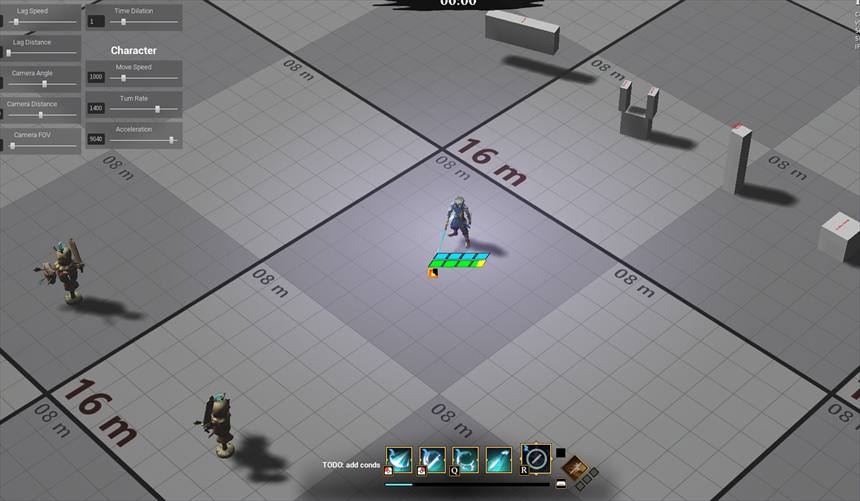
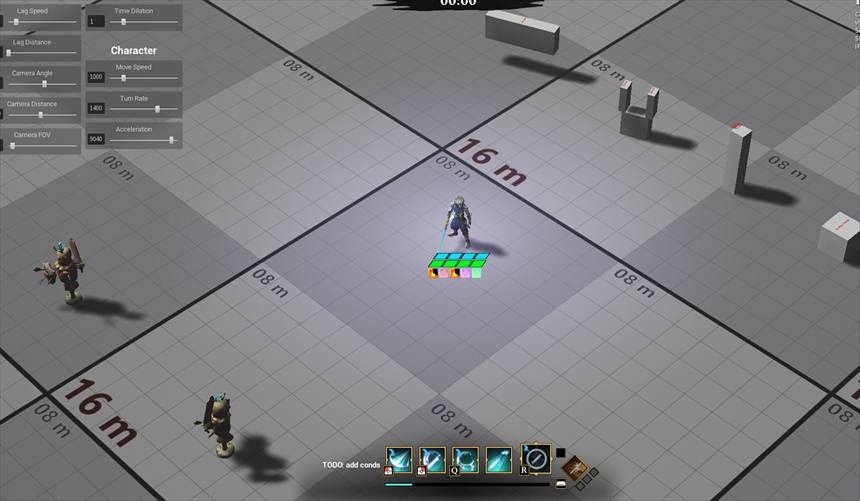
- Icons for active status effects (e.g., Poisoned, Stunned) are displayed adjacent to the Health Bar.
- Best Effort:
- The Health Bar change color based on the status effect (e.g., Purple tint for poison, Orange / Red for burning).
- If the status effect does damage, the amount of HP that will be taken away, is colored in the color corresponding to the status effect.
Reference:
Reference:
Critical Health
- When player health drops below 25%, their health bar will start flashing red, and will sound a distinct SFX, to notify healer / support type players, or just notify other party members.
Monsters:
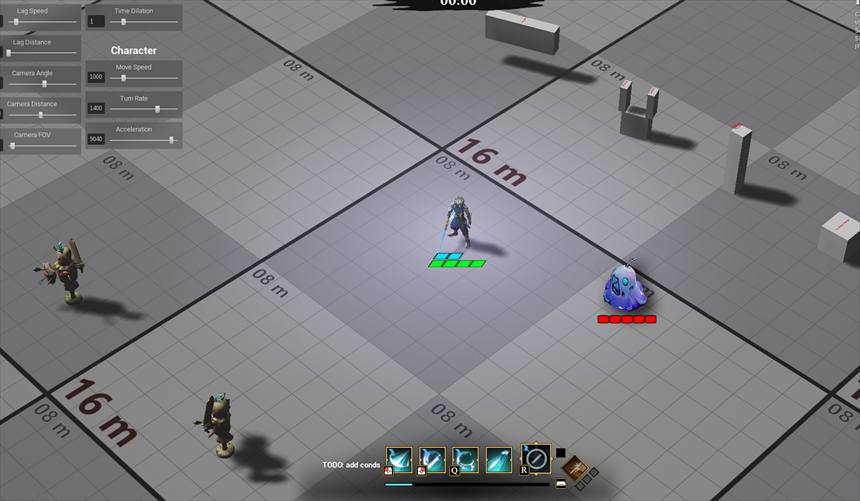
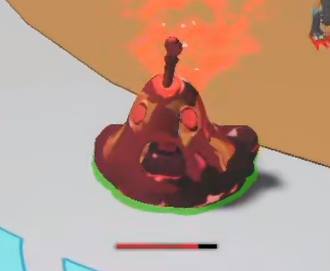
The Health Bar of the shown style, is only shown on Medium & High Level enemies. Enemies who have under 500 Health, have a Health Bar that is currently in game.
Reference:
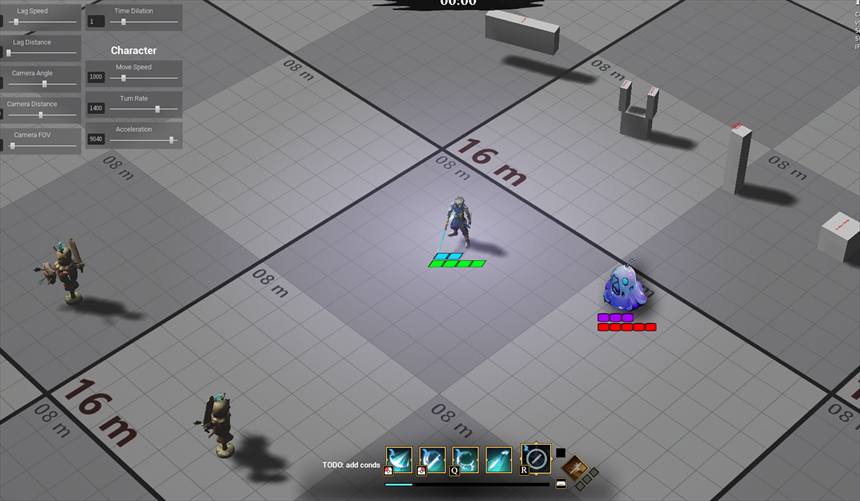
The Health bar for monsters displays both Health and Shield capacity, with the same visual scaling.
Monster Health bar should look different from the player’s. Both in shape and color scheme, to avoid confusion.
- Shield capacity is represented as an additional bar or overlay on top of the health bar, distinct in color (e.g., purple in the case of monsters).
- Monster Health bars are always visible.
- This is done in order to allow players to target enemies properly, based on their Max health and existing shields.
- Shield Visual scales as shown on the reference below.
- It should never exceed the length of the Health Bar
Reference: