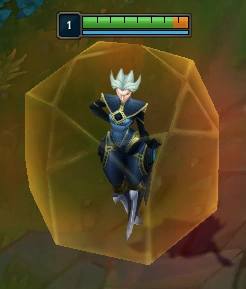
Status Effects
Status effects are divided into two main categories:
- Debuffs:
- Burning: Causes damage over time, can stack to reset or extend duration.
(IDEASpecial mechanic to combust previous burn effects upon stacking). It will be shown with a next to it.
- Stunned: Disables unit actions (movement, attacks, abilities) for a set duration.
- Buffs:
- Shield: Absorbs damage until depleted. Can be applied via active skills or ultimate abilities.
- Shield from Active: A large, visible shield applied through active skills.
- Shield from Ultimate: A smaller shield applied through ultimate abilities.
- Haste: Increases movement speed, attack speed, or both.
System Architecture
Components Overview
- Status Effect Component: A component attached to each unit, responsible for managing the status effects applied to that unit.
- VFX Component: Manages the visual representation of status effects.
- A Niagara Effect with a Start Section, Loop Section, and End Sectionthat is Activated
- Effect Manager Component: Oversees all active effects on a unit, ensuring proper application, duration management, and termination of effects.
- Stacking System: Handles the logic for stacking effects, including the special combustion mechanic for burning effects.
- Stacking Logic (Original Plan if understood correctly):
- Same Source: If a burning effect from the same EffectSource is applied again, the duration of the burn is either reset or extended.
- Different Sources: Burning effects from different sources (e.g., BasicAttack and ActiveSkill) stack independently, each running its own course without interfering with the others.
Combustion Mechanic Idea for stacking:
- Idea 1: When a new burn effect is applied on top of an existing one (from any source), the existing burn instantly "combusts," dealing its remaining damage in a single burst. The new burn effect then begins as a separate instance.
- Example: A target is burning from a BasicAttack. When an ActiveSkill burn is applied, the remaining damage from the BasicAttack burn is dealt immediately, and the new ActiveSkill burn starts, ticking over time.
Status Effect Application
Variables:
- EffectType (Enum): Defines the type of status effect (Burning, Stunned, Shield, etc.).
- Source (Enum): Determines the origin of the effect (Basic Attack, Active Skill, Ultimate, Environmental).
- BaseDuration (Float): The initial duration of the effect in seconds.
- BaseMagnitude (Float): The strength or intensity of the effect (e.g., damage per second for burning, shield strength).
- CurrentDuration (Float): The remaining time before the effect expires.
- This will mainly be used to control VFX application Start and End.
- Stacks (Integer): The number of times the effect has been stacked.
- IsStackable (Boolean): Determines whether the effect can stack with itself.
Normal Stacking System
Stacking Logic:
If a new burning effect of the same type is applied while another is active, the system follows these rules:
- Same Source:
- Duration Extension: If the new burn effect is from the same source as the existing burn, the duration of the existing burn is extended by the duration of the new effect.
- Formula: NewDuration = OriginalRemainingDuration + AdditionalDuration
- Total Damage: The total damage is recalculated based on the extended duration.
- Formula: TotalDamage = DPS * NewDuration
- Example: If a burn effect with 10 DPS has 2 seconds remaining and a new burn effect from the same source is applied with a 5-second duration, the total duration becomes 7 seconds. The total damage is 10 DPS * 7 seconds = 70 damage.
- Different Sources:
- Simultaneous Burns: If the new burn effect is from a different source, the existing and new burns occur simultaneously. However, only one burn VFX is displayed to represent the effect visually.
- Damage Calculation: Despite showing a single VFX, both burns' damage numbers are calculated and applied separately.
- Example: If a burn effect from one source with 10 DPS is active, and a new burn effect from a different source with 5 seconds duration is applied, both burns deal damage simultaneously. If the initial burn has 2 seconds left, the remaining damage from the first burn and the new burn’s damage are combined, but only one burn VFX is shown.
1.3. Combustion Mechanic
- Combustion Logic:
When a new burn effect is applied on top of an existing one, the previous burn instantly combusts, dealing its remaining damage in a burst. The new burn effect then starts independently.
- Combustion Damage Calculation:
- Formula: CombustionDamage = DPS * (OriginalDuration - CurrentDuration)
- Description: This is the damage dealt instantly when the burn effect combusts. It is based on the remaining duration of the current burn.
- Instant Damage Calculation:
- Formula: InstantDamage = CombustionDamage
- New Effect Application:
- The new burn effect starts with its own duration and magnitude, unaffected by the previous burn’s remaining duration.
- New Duration: The new burn effect starts afresh or extends as per its own duration.
- Formula: NewDuration = BaseDuration + AdditionalDuration
- Total Damage Calculation:
- Formula: TotalDamage = DPS * NewDuration
- Example: For a burn effect with 10 DPS, if 2 seconds remain on the burn and a new burn is applied, the existing burn combusts and deals 20 damage (2 seconds * 10 DPS). The new burn effect starts with its own 5-second duration, dealing 50 damage (10 DPS * 5 seconds) over its duration. The total damage inflicted will be 20 (combustion) + 50 (new burn) = 70 damage.
Summary:
- Normal Stacking:
- Extends or refreshes the duration of the burn effect.
- Recalculates total damage based on the extended duration.
- Combustion Mechanic:
- Causes the existing burn to deal instant damage based on its remaining duration.
- Applies a new burn effect with its own duration and damage, treating the previous burn as separate from the new one.
- Burning Effect Calculation:
- Base Damage: BaseDamage = BaseMagnitude
- Damage per Second: DPS = BaseDamage / BaseDuration
- On Stacking:
- Combustion Damage: CombustionDamage = DPS * (OriginalDuration - CurrentDuration)
- New Effect Application:
- If stacked, the previous burn combusts dealingCombustionDamage
- The new effect starts with normal duration.
- Example: If the base burn lasts 5 seconds with 10 DPS, stacking at 2 seconds left combusts 20 damage (2 seconds * 10 DPS) and restarts the burn at 5 seconds for a new total of 50 damage over the duration.
- Shield Effect Calculation:
- Base Shield Strength: ShieldAmount = BaseMagnitude
- Shield Depletion Rate: DepletionRate = IncomingDamage / ShieldAmount
- - Might need to add armor calculation if we have it in the game, or are planning to have it.
On Stacking, shields behave as separate processes, and they die after their duration. They do not affect each other, or stack in a special interaction.
- Haste Effect Calculation:
- Movement Speed Increase: NewSpeed = BaseSpeed * (1 + HasteMagnitude)
- Attack Speed Increase: NewAttackSpeed = BaseAttackSpeed * (1 + HasteMagnitude)
- Duration Refresh: If stacked, refreshes the duration:
- NewDuration = Max(CurrentDuration, BaseDuration)
Status Effect Duration and Ending
- Effect Expiration:
- When the effect ends, and the Effect Manager triggers the corresponding VFX Component to stop the visual effect, or play the End portion of it.
- Reapplication Logic:
- Burning: If reapplying, check if the burn effect should combust or simply reset the duration. The damage calculation adjusts based on whether the effect combusted. When combusted, a small explosion VFX appears on the player.
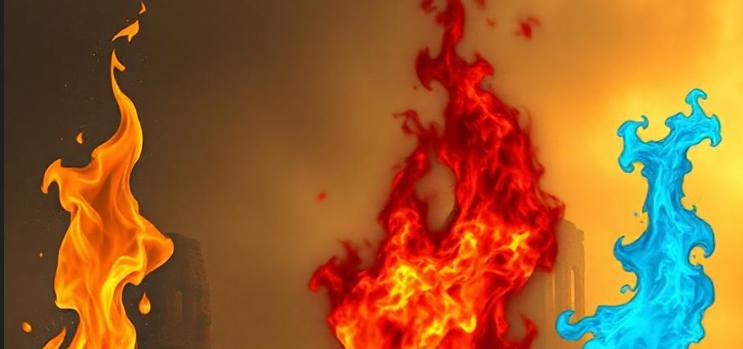
- Maybe the color of the flame changes based on number of burns applied?
VFX Integration
VFX Components
- VFX Manager: Controls all VFX associated with status effects.
- Burning: Utilizes particle systems to display flames on the player. Idea: The hue of the flames changes based on how many burn effects are applied: If the effect combusts, a burst effect is triggered, using an additional particle system for a brief explosion effect.
- Stunned: Displays above-head effects such as stars or swirls. Upon ending, a fade-out is applied to smoothly transition the VFX out.
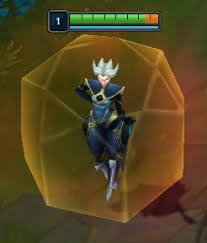
- Shield (Active/Giant Bubble): A large sphere using a material with opacity and emissive properties. On damage, a ripple effect is triggered, and upon depletion, the sphere gradually fades. Reference: Spellshield from League of Legends
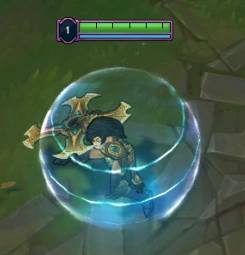
- Shield (Ultimate/Tiny Shader): A subtle shader effect applied to the character mesh, with pulsing light, or glow indicating active shielding.
- Haste: A trail of motion blur or light particles follows the character, scaling with movement speed. The VFX dissipates quickly upon expiration. Reference: Ghost from League of Legends

4.2. Synchronization with Gameplay
- Start: The VFX Manager listens for effect application events. When an effect is applied, the corresponding VFX is instantiated and linked to the effect’s duration.
- Loop: The main loop of the VFX is being played.
- End: The end portion of the VFX plays and the VFX is deactivated.